

Overview
Screen effects for any Unreal project, each played three ways: a transition for any change of shot, an impact that strikes once, or an overlay held on screen.
Blendable FX draws effects over the finished picture: an iris between two shots, an anime impact frame as a blow lands, a security camera's tape wobble for as long as the player watches it. One kind of asset does all of it. Make an effect, pick a look, and play it whichever way the moment needs.
Everything on these pages is footage from the engine, played by the plugin as it ships.
It works on its own in any project. If you use Blendable, its fixed cameras, presets and hooks pick the effects up wherever a shot changes.
Three ways to play one effect#
As a transition.
It covers the old shot, the cut happens underneath where nobody sees it, and it opens on the new one. Or it freezes the old shot and blends it into the new. For a camera change, a teleport, a level loading. Transitions
As an impact.
It strikes once and goes: an impact frame as a hit lands, a flash as a lock takes hold, a punch of zoom on a landing. It can strike at a point in the world rather than on the player. Impacts
As an overlay.
It comes in and stays until you take it off: old film for a flashback, a tape's wobble on a security monitor, a glitch while the player's being hacked. Overlays
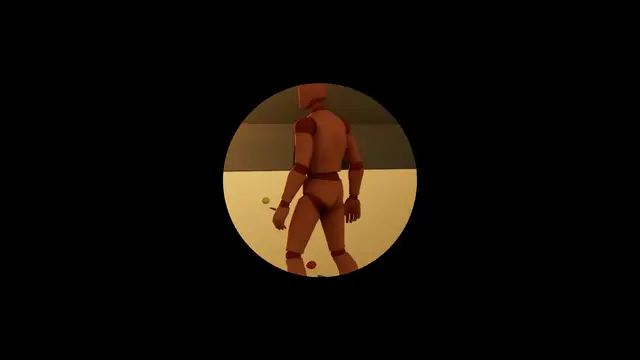 Transition
Iris
0.5 s in, 0.15 s held, 0.5 s out
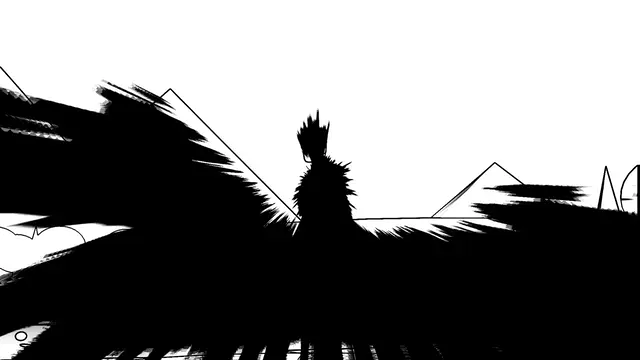 Impact
Smear
Impact Frame, 0.03 s in, 0.3 s held, 0.08 s out
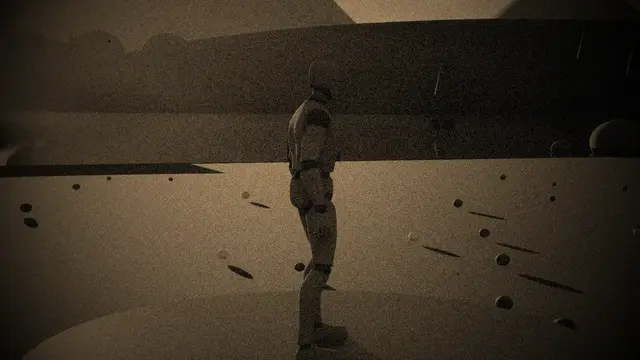 Overlay
Old Film
in over 0.6 s, held at 55%
What you get#
Eighty-nine looks.
Fades, irises, wipes and pattern dissolves; blurs, whip pans and zoom punches; film that slips and burns, tape that loses its tracking; lenses that swap and shutters that close; anime impact frames that smear and explode; night vision, thermal, scopes and masks; old lenses and film stocks; grades, grain, fog and vignettes; veins creeping in; pencil, pixels and characters. And your own material, if none of them is it. The looks
Three hundred and twenty-nine starters.
Ready to play, every one recorded on these pages, in Transitions, Impacts and Overlays folders. Duplicate one and tune the copy. Starter effects
Night vision that works like the real thing.
Goggles that amplify the light your level really has, gate down for a floodlight and bloom round a headlight, with old tubes and new, green phosphor or white, a thermal clip-on, and IR illuminators, lasers and strobes that only the tubes see. Night vision
Every look tuned to the last setting.
Each has settings of its own on the effect's Tuning band, from an iris's shape to how many lines an impact frame draws. Tuning
Layers over any look.
Distortion, aberration, motion blur, a feathered mask and a falloff that strengthens or weakens it with distance. Layers
Effects in the level.
A volume that plays an effect as the player walks in: the same one every time, each in turn, or one at random. FX Volume
Previews in the editor.
Play an effect all three ways from its own panel, over the level viewport, with no game running.
Three ideas to hold on to#
An effect is a look and its timing. The look is what it draws; Cover Time, Hold Time and Reveal Time are how it plays out. The same asset is a transition, an impact or an overlay depending only on which node you call.
Covers hide the cut; blends carry it. A cover closes over the old shot completely, so the change underneath is never seen. A blend keeps the old shot as it was at the change and dissolves, smears or spins it into the new one. Either way, every look is exactly the picture at its rest ends, so nothing pops as it starts or finishes.
Nothing to wire up per camera. Effects are drawn for a player, over whatever they're looking through. Change view target, teleport, cut to a cinematic camera: the effect carries on over it.
Requirements#
Unreal Engine 5.8. Built and tested on Windows 64-bit. Everything's in Blueprint; the C++ is there if you want it.
Go deeperHow it draws
Every look is one full-screen pass, drawn after tonemapping and before the interface, so your HUD and menus stay sharp on top of it. Each look is its own shader permutation, so a pass carries only the code of the look it draws. Several effects can be on screen at once: a transition, any number of overlays and impacts, each a pass of its own in the order they started.
A blend needs the old shot after the cut, so the frame before it is kept as a texture for as long as the blend runs. A few looks keep a little more: Afterimage Trails keeps its last few frames, Datamosh the last finished one. Defocus uses the engine's own depth of field, and your own material plays as a post process material, so those two go through the camera rather than the pass.
Where next#
- Set up from scratch: a new project to every way of playing an effect, step by step.
- Getting started: a starter playing three ways, then from Blueprint.
- The effect asset: what's on an effect's panel, band by band.
- The looks: every look, playing.
- Impact frames: ink, smears, explosions and colour switches.
- Night vision: the goggles, filmed on a night set lit to real light levels.